A company that already holds a SOC 2 report has, by most industry estimates, already built somewhere between 60 and 80 percent of what ISO 27001 certification requires. Yet only a small fraction of organizations actually capture that overlap. Teams run the second framework as a fresh project, rewrite policies that already exist, and re-collect evidence they already have on file. The result is paying twice for the same security program.
SOC 2 to ISO 27001 mapping is the discipline that stops this. It is a control crosswalk: a structured comparison that shows which SOC 2 controls already satisfy which ISO 27001 requirements, where the genuine gaps sit, and what new work the second framework actually demands. Done well, it turns the second audit from a rebuild into a mapping exercise.
What Is SOC 2 to ISO 27001 Mapping?
SOC 2 to ISO 27001 mapping links each SOC 2 Trust Services Criterion to its corresponding ISO 27001 clause or Annex A control. The output is a single control library: each control is defined once, tagged to both frameworks, and backed by evidence that both auditors will accept.
Worth being clear about upfront: a crosswalk does not make you compliant with anything. It shows where coverage already exists and where it does not. The real work still sits in control design, evidence discipline, and keeping the mapping current as systems and vendors change.
A spreadsheet built once and never touched again becomes an audit liability, not an asset. For a structured starting point, a thorough SOC 2 to ISO 27001 gap analysis will surface those liabilities before an auditor does.
SOC 2 Trust Services Criteria: An Overview
SOC 2 is an attestation framework from the American Institute of Certified Public Accountants (AICPA). It is built on five Trust Services Categories: Security, Availability, Processing Integrity, Confidentiality, and Privacy. Security is the only mandatory category, and every SOC 2 report includes it.
The Security category is evaluated through the Common Criteria, written as CC1 through CC9, containing 32 individual criteria in total. CC1 through CC5 cover the control environment, communication, risk assessment, monitoring, and control activities, and they align directly with the COSO internal control framework. CC6 through CC9 are more technology-specific, covering logical and physical access, system operations, change management, and risk mitigation.
A SOC 2 audit produces one of two report types. A Type 1 report assesses control design at a single point in time. A Type 2 report assesses both design and operating effectiveness across an observation window, usually 3 to 12 months. A licensed CPA firm issues the report. SOC 2 is an attestation, not a certification, and there is no such thing as a SOC 2 certificate.
ISO 27001 Annex A Controls: An Overview
ISO/IEC 27001 is the international standard for an information security management system, or ISMS. The current version, ISO 27001:2022, has two distinct layers, and the distinction matters for any mapping effort.
Clauses 4 through 10 define the management system itself: organizational context, leadership, planning, risk treatment, support, operations, performance evaluation, and improvement. These clauses are mandatory. Annex A is the second layer, a reference catalogue of 93 controls grouped into four themes: Organizational (37 controls), People (8), Physical (14), and Technological (34). The 2022 revision consolidated the previous 114 controls and 14 domains and added 11 new controls covering areas such as threat intelligence and cloud security.
Annex A controls are not all mandatory. Organizations select controls based on a risk assessment and record their choices, including any exclusions and the reasoning behind them, in a Statement of Applicability. Certification is granted by an accredited body, lasts three years, and requires annual surveillance audits. Learn more about what the full certification process involves.
Key Structural Differences That Affect Mapping
The two frameworks share a large security foundation, but they are built differently, and a mapping that ignores the structural gaps will fail. Understanding ISO 27001 vs SOC 2 at a structural level is the prerequisite for any mapping work worth doing. Four differences matter most.
ISO 27001 certifies a management system, while SOC 2 attests to a set of controls. ISO Clauses 4 through 10 have no direct SOC 2 equivalent, because SOC 2 never asks you to prove you run a continuous, governed program; it asks only whether specific controls met specific criteria during the review period.
Scope differs too. An ISO 27001 ISMS is expected to cover the organization broadly, while SOC 2 scope is set at the level of a system or service. The outputs differ as well: ISO produces a pass or fail certificate, whereas a SOC 2 report can carry noted exceptions or a qualified opinion and still be a valid, useful report. And because SOC 2 Type 2 tests evidence across a defined window, a control that worked only on audit day will not pass.
The most common mapping mistake is treating ISO 27001 as SOC 2 plus a few extra controls. It is not.
The Annex A controls map cleanly, but the ISMS management clauses, including internal audit, management review, and continual improvement, are a separate body of work with no SOC 2 starting point. Budget for them as net-new.
SOC 2 Common Criteria to ISO 27001 Control Mapping
The Common Criteria map to ISO 27001 with a high degree of overlap. The table below is a practical starting crosswalk for the CC series. It lists the primary ISO 27001 references rather than every possible match, and your auditor’s judgment will shape the final mapping.
SOC 2 Common Criteria | Topic | Primary ISO 27001:2022 References |
|---|---|---|
CC1 | Control Environment | Clauses 5 (Leadership), 6 (Planning), A.5.1, A.5.2, A.6.1–A.6.4 |
CC2 | Communication and Information | Clause 7.4 (Communication), A.5.1, A.6.3, A.8.2 |
CC3 | Risk Assessment | Clause 6.1 (Risk Assessment), A.5.7, A.8.8 |
CC4 | Monitoring Activities | Clause 9 (Performance Evaluation), A.5.35, A.5.36, A.8.16 |
CC5 | Control Activities | Clause 6.1.3 (Risk Treatment), A.5.37, A.8.9 |
CC6 | Logical and Physical Access | A.5.15–A.5.18, A.5.31, A.7.1–A.7.4, A.8.2–A.8.5, A.8.18 |
CC7 | System Operations and Incident Response | A.5.24–A.5.28, A.8.15, A.8.16 |
CC8 | Change Management | A.8.32 |
CC9 | Risk Mitigation and Vendor Management | A.5.19–A.5.23, A.6.7, A.8.30 |
The AICPA publishes an official mapping of the Trust Services Criteria to ISO 27001, and it is a reasonable reference point. Treat any published crosswalk as a draft, though. No mapping survives contact with a real environment unchanged, because how a control is tested depends on how your organization actually operates it.
SOC 2 Additional Categories Mapped to ISO 27001
If your SOC 2 scope includes categories beyond Security, those map to Annex A as well, though less tidily than the Common Criteria do.
Availability lines up with the ISO controls for backup (A.8.13), redundancy (A.8.14), capacity management (A.8.6), and ICT readiness for business continuity (A.5.30).
Confidentiality maps to information classification (A.5.12), labelling (A.5.13), cryptography (A.8.24), and information deletion (A.8.10).
Processing Integrity is the weakest fit. It relates loosely to the secure development controls A.8.25 through A.8.29, but ISO 27001 has no control dedicated to transaction completeness and accuracy, as SOC 2 does.
Privacy maps partially to A.5.34, which covers privacy and protection of personally identifiable information, but the genuine counterpart is ISO/IEC 27701, the privacy extension to ISO 27001. Organizations serious about privacy assurance usually pursue 27701 alongside the base certification rather than leaning on a single Annex A control.
Control Areas With Strong Overlap Between SOC 2 and ISO 27001
Several domains map so cleanly that one well-designed control satisfies both frameworks at once, and these are the areas where a dual-framework program pays for itself fastest.
Access control is the clearest case.
SOC 2’s CC6 and ISO’s A.5.15 through A.8.5 cover the same ground: least privilege, multi-factor authentication, access reviews, and credential management. A single access control policy and one quarterly review process will serve both audits. Incident response overlaps just as well, with CC7 aligning to ISO’s A.5.24 through A.5.28, so one incident response plan with defined roles and tested playbooks covers both frameworks simultaneously.
Change management maps CC8 to A.8.32.
Vendor and third-party risk maps CC9 to the supplier controls in A.5.19 through A.5.23. Data backup and recovery maps the Availability criteria to A.8.13 and A.8.14. Physical security maps the physical elements of CC6 to the A.7 control family. In each of these areas, the work is to design the control once and produce evidence that both auditors will accept.
Pro Tip: Two frameworks with Different Frequencies
Where the two frameworks set different frequencies for the same control, default to the stricter one. If ISO 27001 expects quarterly access reviews and your SOC 2 controls only specified annual reviews, run them quarterly. One piece of evidence then satisfies both auditors, and you never have to explain a mismatch in a control narrative.
Control Gaps: Where SOC 2 and ISO 27001 Diverge
Controls Unique to ISO 27001 Not Covered by SOC 2
The biggest gap is the management system itself. ISO 27001 Clauses 4 through 10 require a documented ISMS scope, a formal risk treatment plan, an internal audit program, a management review process, and a continual improvement cycle based on Plan-Do-Check-Act. SOC 2 touches none of this directly.
The Statement of Applicability has no SOC 2 equivalent, and neither does the formal tracking of nonconformities. For a team arriving from SOC 2, this management layer is where most of the genuine new effort goes.
SOC 2 Requirements Not Addressed by ISO 27001
The gap runs in the other direction, too. SOC 2 evaluates controls against the system commitments described in the report, and a Type 2 engagement tests evidence across a continuous observation window. ISO 27001 has no comparable concept of a multi-month evidence period or a detailed, customer-facing report that describes your system.
SOC 2’s point-of-focus testing is also more granular in places, and its Processing Integrity category has no clean ISO home. An ISO certificate, on its own, does not produce the detailed control narrative that US enterprise buyers often expect to review.
Why Map SOC 2 Controls to ISO 27001?
The case for mapping comes down to three concrete returns, and they compound over time.
It reduces audit fatigue and overhead. Teams that build a unified control set and map it to both frameworks consistently spend far less on the second framework than teams running two separate projects. One policy library, one evidence cadence, and one remediation backlog replace two of everything.
A well-maintained SOC 2 compliance checklist that is also cross-referenced against ISO requirements is a practical way to keep that single-source discipline in place day to day.
It strengthens your security posture. Mapping forces you to reconcile two views of the same risks. SOC 2 frames controls around service commitments, while ISO 27001 frames them around information assets and a formal risk assessment. Reconciling the two surfaces gaps that either framework alone would miss, and gaps that auditors and attackers both find.
It meets multiple market requirements at once. US enterprise buyers generally expect SOC 2. European and international customers, along with a growing number of large procurement teams, expect ISO 27001. Microsoft, for one, stopped accepting SOC 2 security reports as sufficient evidence for its supplier program after 2021. Holding both removes the framework question from your sales cycle entirely.
How to Conduct a SOC 2 to ISO 27001 Gap Analysis
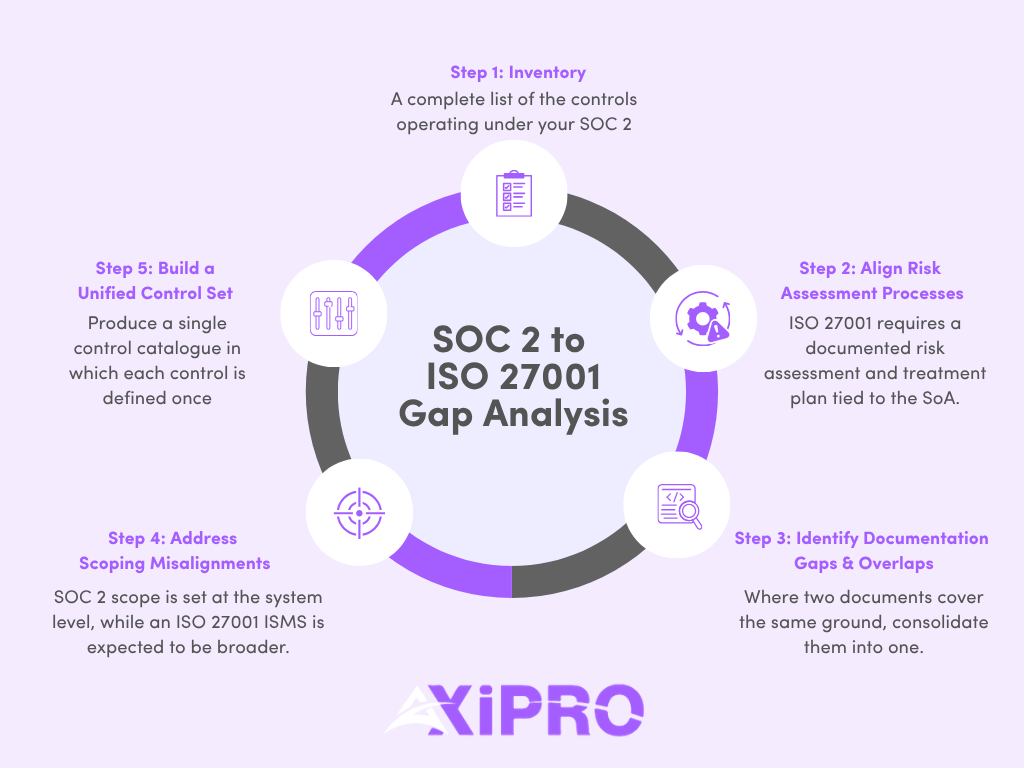
Step 1: Inventory Existing SOC 2 Controls
Start with a complete list of the controls already operating under your SOC 2 program, each recorded with its owner, its frequency, and the evidence it produces. This inventory is the raw material for everything that follows, so it needs to reflect reality rather than the control descriptions in last year’s report. Controls that exist on paper but are not actually being operated will fail ISO testing just as quickly as they would fail a SOC 2 Type 2 review.
Step 2: Align Risk Assessment Processes Across Both Frameworks
SOC 2 expects risks to be assessed and mitigated. ISO 27001 goes further, requiring a documented, repeatable risk assessment methodology and a risk treatment plan tied to the Statement of Applicability. The practical answer is to run one unified risk assessment in a single register that addresses both threats to information assets and risks to your service criteria, rather than maintaining two registers that inevitably drift out of sync.
Step 3: Identify Overlapping and Conflicting Documentation
Compare policies side by side. Where two documents cover the same ground, consolidate them into one. Where they conflict, whether on review frequencies, definitions, or scope, resolve the conflict before an auditor finds it. Conflicting documentation is one of the fastest ways to draw a finding, because it raises the obvious question of which version staff are actually following.
Step 4: Address Scoping Misalignments
SOC 2 scope is set at the system level, while an ISO 27001 ISMS is expected to be broader. Decide deliberately what the ISMS covers and confirm it is consistent with what your SOC 2 report describes. Mismatched scope is one of the most heavily scrutinized issues in an ISO certification audit, and it is also one of the common pitfalls that derails otherwise well-prepared teams.
Step 5: Build a Unified Control Set
Produce a single control catalogue in which each control is defined once, mapped to both frameworks, assigned an owner, and written at a level that stays stable as systems change. This catalogue, not the original mapping spreadsheet, is the durable output of the whole exercise. Everything else feeds into it and is governed by it going forward.
Best Practices for Successful SOC 2 to ISO 27001 Mapping
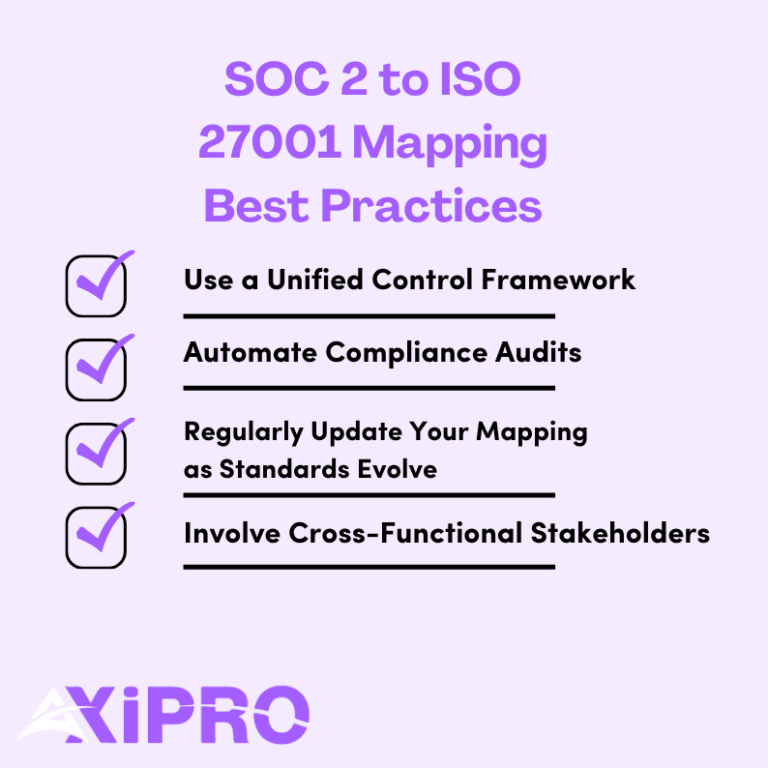
Use a Unified Control Framework as Your Foundation
Define each control once, map it to both frameworks, and treat that catalogue as the single source of truth. Separate per-framework spreadsheets drift apart within a quarter, and reconciling them later costs more in time and rework than building the unified version correctly from the start. Reference frameworks like NIST CSF can serve as a neutral backbone that maps to both SOC 2 and ISO 27001, which is particularly useful for organizations that anticipate adding more frameworks in the future.
Automate Compliance Audits Where Possible
Manually collecting and tagging the same evidence for two audits is where both time and accuracy leak. Tag each piece of evidence with every control it supports, across both frameworks, so it is collected once and reused. Automated, time-stamped evidence is also more convincing to an auditor than a manually assembled folder.
Automate compliance audits using purpose-built tools and you eliminate a category of error that manual processes cannot reliably prevent. Pair automation with continuous monitoring and your evidence library stays current between audits rather than being assembled in a panic the week before fieldwork begins.
Regularly Update Your Mapping as Standards Evolve
Frameworks change, as the 2022 ISO revision demonstrated, and so do your systems and vendors. Review the crosswalk on a schedule and whenever you add a system, adopt a new cloud service, or change a core process.
A mapping left static between audits tends to be quietly wrong by the time anyone needs it, and the auditor will find the discrepancies before you do.
Involve Cross-Functional Stakeholders in the Mapping Process
Mapping is not a job for one compliance manager working alone. Control owners in engineering, IT, human resources, and legal need to confirm that the mapped controls reflect how work actually happens. A crosswalk owned by one person and never seen by the people who run the controls is the version auditors quietly take apart. The people closest to the systems know where the documentation does not match the practice, and that knowledge needs to be in the crosswalk before the audit, not discovered during it.
Common Pitfalls When Mapping SOC 2 to ISO 27001
Scoping misalignment is the most frequent failure. A narrow SOC 2 system boundary quietly becomes the assumed ISMS scope, and the ISO auditor pushes back hard.
Duplicate and conflicting documentation is close behind: two access policies, two incident response plans, slightly different in wording and both technically in force, with no clear authority on which one governs.
Overlooking third-party risk catches teams that treated vendor management lightly under SOC 2, since ISO’s supplier controls in A.5.19 through A.5.23 expect a more structured and documented program. And many teams fail to account for the continual improvement obligation, mapping the Annex A controls cleanly while forgetting that ISO’s internal audit and management review requirements are ongoing rather than one-time tasks.
Reviewing the full list of common pitfalls before you start the mapping effort is time well spent.
Auditors test evidence, not intent. A flawless crosswalk spreadsheet proves nothing on its own. What an ISO 27001 auditor wants to see is the management review minutes, the internal audit reports, and the nonconformity log, artifacts that only exist if the ISMS has actually been running for a few months. Start those processes early, well before you feel ready, so the evidence trail exists when the audit arrives.
Frequently Asked Questions
Does SOC 2 to ISO 27001 mapping guarantee compliance with both frameworks?
No. Mapping shows where control coverage overlaps and where gaps remain. Compliance still depends on designing the controls properly, operating them consistently, and producing evidence that satisfies each auditor. A crosswalk is a planning tool, not a substitute for the work itself.
How much overlap exists between SOC 2 and ISO 27001 controls?
Industry estimates generally place the control overlap between 60 and 80 percent, concentrated in access control, risk management, incident response, and change management.
The overlap is high enough that the second framework should never be a full rebuild, but it is not complete, because the ISO management system clauses have no SOC 2 equivalent and must be built from scratch regardless of where you are starting from.
Can a company use SOC 2 evidence to support an ISO 27001 audit?
Often, yes. A large share of SOC 2 evidence, including access reviews, change tickets, vulnerability scans, and training records, directly supports ISO 27001 Annex A controls.
The catch is that ISO also requires evidence SOC 2 never asks for, such as internal audit reports and management review records, which must be generated separately and cannot be substituted.
How often should organizations update their SOC 2 to ISO 27001 mapping?
Treat it as a living document. Review it at least once a year, and also whenever you add a major system, adopt a new cloud service, change a core process, or when either framework is revised. A mapping that sits untouched between audits is almost certainly inaccurate by the time it is needed.
Which framework should a company pursue first before mapping?
It depends on your customers. If your buyers are mostly US-based, starting with SOC 2 is common practice. If you sell internationally or need a recognized certificate, starting with ISO 27001 builds the broader management system foundation and tends to make the subsequent SOC 2 faster. Either order works.
What matters is building one security program rather than two. A good SOC 2 guide can help you assess which starting point makes the most sense for your current market and customer base.
Is ISO 27001 harder to achieve than SOC 2?
For most organizations, ISO 27001 takes more time and effort on the first attempt, mainly because of the management system requirements. SOC 2 has no equivalent to the ISMS clauses, the Statement of Applicability, or the internal audit and management review cycle.
The controls themselves are comparable in difficulty. It is the surrounding management system that makes ISO 27001 the heavier lift, and the reason why arriving from SOC 2, with your control library already built, gives you a meaningful head start.