In a world where data drives every business operation, maintaining security and trust is more critical than ever. For service organizations that manage client information, SOC 2 compliance is not just a badge of credibility—it’s a foundation of accountability. However, compliance is not achieved once and forgotten. It’s a continuous process that requires vigilance, adaptation, and proactive management.
This is where continuous monitoring plays a pivotal role. It ensures that every control implemented under your SOC 2 compliance solution remains effective, up to date, and capable of defending against emerging risks. Continuous monitoring transforms compliance from a one-time event into a sustainable business practice.
By integrating automation, analytics, and consistent reporting, businesses can prevent control failures, improve transparency, and demonstrate long-term commitment to security. In this guide, you’ll learn why continuous monitoring is essential for maintaining SOC 2 compliance, how it strengthens your organization’s defense, and how a reliable SOC 2 monitoring framework supports this process every step of the way.
At Axipro, we help organizations simplify compliance management with automated tools, expert guidance, and tailored monitoring strategies that keep your SOC 2 framework strong and audit-ready all year round.
TL;DR
• Continuous monitoring is essential for maintaining ongoing SOC 2 compliance.
• It ensures real-time detection of control failures, system vulnerabilities, and security threats.
• Automated SOC 2 compliance solutions make tracking, documentation, and reporting easier.
• Continuous oversight improves audit readiness and strengthens customer trust.
• Axipro helps businesses design and implement monitoring systems that keep SOC 2 compliance reliable, effective, and compliant.
What Is Continuous Monitoring and Why It Matters for SOC 2
Continuous monitoring refers to the systematic observation, evaluation, and analysis of your organization’s systems and controls. It ensures that your compliance posture remains consistent long after the audit is completed.
For businesses that have implemented a SOC 2 compliance solution, continuous monitoring serves as the foundation for long-term success. SOC 2 Type II certification, for example, assesses control effectiveness over a period of time. Without ongoing monitoring, it’s impossible to provide accurate, up-to-date evidence of operational consistency.
Continuous monitoring also aligns perfectly with the five Trust Service Criteria—security, availability, processing integrity, confidentiality, and privacy. By continuously validating these controls, businesses can detect issues before they escalate into serious breaches or compliance failures. You can read the full criteria here.
A strong SOC 2 monitoring framework integrates continuous monitoring tools that automatically track system activity, record control performance, and generate compliance reports. This not only improves visibility but also minimizes the manual effort required to stay audit-ready.
Why Businesses Should Implement Continuous Monitoring for SOC 2
While achieving SOC 2 certification is an important milestone, maintaining it requires ongoing effort. Many organizations focus heavily on audit preparation but fail to sustain compliance afterward. Continuous monitoring bridges this gap, ensuring your organization remains compliant and secure throughout the year.
With an effective SOC 2 compliance solution, businesses can:
- Identify control weaknesses early – Continuous data tracking highlights risks before they affect operations.
- Stay audit-ready – Real-time evidence collection ensures that documentation is always current.
- Improve accountability – Assigning monitoring responsibilities builds a culture of ownership and compliance.
- Enhance transparency – Automated reports provide clear visibility for stakeholders and auditors alike.
- Build resilience – Proactive monitoring prepares your systems to adapt to new threats and evolving compliance requirements.
Organizations that adopt continuous monitoring not only simplify future audits but also strengthen trust with clients, investors, and regulators.
Stay audit-ready all year long. Axipro’s SOC 2 compliance solution helps you monitor controls effortlessly and maintain compliance with confidence.
What Needs to Be Continuously Monitored for SOC 2
Continuous monitoring under SOC 2 is not about blanket oversight. It is about proving that key controls operate consistently, securely, and as designed over time. Auditors expect organizations to demonstrate that control effectiveness is maintained daily, not just during audit preparation.
Below are the core control areas that require ongoing monitoring to support SOC 2 Trust Service Criteria.
Access Control
Access control is one of the most scrutinized areas in a SOC 2 audit. Organizations must continuously monitor how users are granted, modified, and removed from systems.
This includes tracking new user provisioning, role changes, privileged access usage, and timely offboarding. Any unauthorized access attempts or policy violations must be detected and addressed quickly. SOC 2 monitoring tools help ensure access reviews remain current and evidence is automatically recorded throughout the audit period.
Incident Response
SOC 2 requires organizations to not only have an incident response plan but to prove it works in practice. Continuous monitoring ensures security events are detected, escalated, investigated, and resolved according to defined procedures.
Monitoring incident response activities provides clear evidence of response timelines, root cause analysis, and corrective actions. SOC 2 evidence tools capture this activity automatically, helping demonstrate operational readiness during audits.
Change Management
Change management controls validate that system and infrastructure changes are reviewed, approved, tested, and documented before deployment.
Continuous monitoring tracks code releases, configuration changes, and infrastructure updates in real time. This ensures unauthorized or unapproved changes are identified immediately and that approved changes maintain an auditable trail. SOC 2 audit tools rely heavily on this evidence to confirm system integrity and processing reliability.
Vendor Risk
Third-party service providers can introduce significant compliance risk. Continuous monitoring of vendor risk ensures that critical suppliers maintain appropriate security and availability standards.
This includes tracking vendor onboarding, security reviews, contract obligations, and periodic reassessments. A structured SOC 2 monitoring framework helps organizations maintain visibility into vendor dependencies and demonstrate ongoing due diligence.
Vendor Risk
Third-party service providers can introduce significant compliance risk. Continuous monitoring of vendor risk ensures that critical suppliers maintain appropriate security and availability standards.
This includes tracking vendor onboarding, security reviews, contract obligations, and periodic reassessments. A structured SOC 2 monitoring framework helps organizations maintain visibility into vendor dependencies and demonstrate ongoing due diligence.
Logs and Evidence Collection
SOC 2 audits are evidence-driven. Logs, system records, alerts, and approvals must be complete, time-stamped, and tamper-resistant.
Continuous monitoring ensures logs are generated consistently and retained according to policy. SOC 2 evidence tools automate this process, eliminating manual collection and reducing the risk of missing or incomplete documentation during audits.
Vulnerability Management
Security vulnerabilities evolve constantly. SOC 2 expects organizations to identify, assess, and remediate vulnerabilities in a timely manner.
Continuous monitoring validates that scans are performed regularly, findings are reviewed, and remediation actions are tracked to completion. SOC 2 monitoring tools help maintain visibility into security posture while providing clear evidence of proactive risk management.
Service Availability
Availability controls demonstrate that systems meet uptime commitments and can recover from disruptions.
Monitoring service availability includes tracking uptime metrics, performance thresholds, outage detection, and incident resolution. Continuous visibility into availability supports SOC 2 requirements and reassures customers that services remain reliable year round.
Backups and Recovery
Backup and recovery controls ensure data can be restored in the event of system failure or security incidents.
Continuous monitoring validates that backups run successfully, data is encrypted, and recovery processes are tested periodically. This evidence is critical for both availability and confidentiality criteria under SOC 2.
When these areas are continuously monitored using well-configured SOC 2 automation tools, organizations move beyond compliance checklists. They establish a living, auditable control environment that supports security, reliability, and long-term trust.
Core Principles Behind Continuous Monitoring
Continuous monitoring is built on several guiding principles that reflect the philosophy of a mature SOC 2 compliance solution:
- Proactivity: Detect and respond to threats before they cause damage. Instead of waiting for audits to uncover issues, organizations take preventive action through constant observation.
- Automation: Replace manual tracking with intelligent monitoring tools that provide real-time insights into control performance and system health.
- Accountability: Clearly define roles and responsibilities for compliance oversight, ensuring every control has an owner.
- Adaptability: Continuously update controls as technologies, risks, and business processes evolve.
- Continuous Improvement: Leverage monitoring data to identify trends, gaps, and areas for enhancement.
These principles turn compliance from a static objective into an evolving, data-driven process. A well-designed SOC 2 compliance framework brings these principles to life by integrating tools and frameworks that sustain them efficiently.
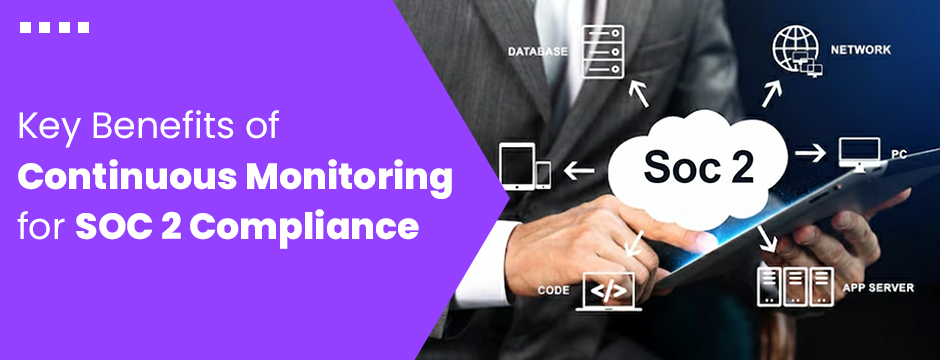
Key Benefits of Continuous Monitoring for SOC 2 Compliance
1. Early Detection of Security Threats
One of the greatest advantages of continuous monitoring is early threat detection. Real-time alerts notify security teams of unusual behavior, failed controls, or unauthorized access attempts. By acting quickly, organizations can prevent potential breaches before they escalate.
With an automated SOC 2 audit tool, continuous monitoring integrates directly with existing IT systems, offering a single dashboard to track vulnerabilities and maintain compliance across multiple environments.
2. Stronger Data Protection and Privacy
SOC 2 emphasizes the importance of confidentiality and privacy. Continuous monitoring ensures that only authorized personnel access sensitive data, and any deviations are immediately flagged for review.
By constantly validating encryption, access control, and data handling policies, businesses using a SOC 2 compliance solution can maintain a stronger posture against both internal and external threats.
3. Simplified Audit Preparation
Continuous monitoring drastically reduces the workload associated with audits. Instead of scrambling to gather months of evidence, businesses can present automatically logged data that reflects ongoing compliance.
A powerful SOC 2 compliance solution provides audit-ready reports and maintains a real-time compliance dashboard, making it easier for auditors to verify adherence to Trust Service Criteria.
4. Improved Risk Management
Continuous monitoring gives organizations greater visibility into system operations, helping them identify potential risks faster. It supports data-driven decision-making, enabling leadership to allocate resources effectively.
Integrating risk analytics within a SOC 2 monitoring tool helps businesses quantify and prioritize threats, making compliance a strategic part of risk management.
5. Enhanced Customer Confidence
Clients prefer working with service providers who can prove they’re secure year-round, not just at audit time. Continuous monitoring demonstrates that your organization is serious about protecting their data at all times.
A transparent SOC 2 compliance solution strengthens your reputation by showing customers that you continuously track, measure, and maintain compliance.
6. Reduced Cost of Non-Compliance
Without continuous monitoring, compliance gaps can remain hidden until the next audit—potentially leading to penalties or loss of certification. Implementing a reliable SOC 2 compliance solution ensures continuous validation of controls, minimizing the cost of remediation and downtime.
Common Challenges in Continuous Monitoring Implementation
Despite its clear benefits, continuous monitoring can be complex to implement effectively.
Organizations often face challenges such as:
- Tool overload: Choosing between multiple overlapping monitoring tools without integration.
- Data fatigue: Interpreting massive volumes of security and compliance data.
- Limited resources: Small teams struggle to manage ongoing compliance tasks.
- Skill gaps: Lack of in-house expertise to handle automation and analytics.
The right SOC 2 monitoring tool simplifies these issues by centralizing monitoring, automating reporting, and providing expert support. Axipro assists organizations in designing frameworks that align monitoring with business goals while reducing operational overhead.
Never miss a compliance update again. Axipro helps you automate monitoring and maintain SOC 2 readiness without disrupting daily operations.
Manual vs Automated Continuous Monitoring for SOC 2
Organizations typically approach continuous monitoring in one of two ways: manual tracking or automated monitoring. While both can technically support SOC 2 requirements, the difference in sustainability is significant.
Manual monitoring relies on spreadsheets, screenshots, calendar reminders, and periodic reviews performed by internal teams. This approach often works in the early stages but quickly becomes difficult to maintain. Evidence gaps, human error, and inconsistent reviews are common, especially during SOC 2 Type II audit periods that span several months.
Automated monitoring, enabled through SOC 2 automation tools and a structured SOC 2 monitoring framework, continuously tracks control performance in real time. These tools integrate directly with cloud platforms, identity providers, infrastructure environments, and ticketing systems to collect evidence automatically as activities occur.
The result is continuous visibility instead of reactive checks. Control failures are identified faster, remediation happens sooner, and compliance teams no longer scramble to reconstruct evidence before audits.
Most mature organizations adopt a hybrid approach. Automation handles data collection and alerts, while experienced compliance professionals interpret results, validate exceptions, and align outputs with auditor expectations. Axipro supports this model by helping clients configure SOC 2 monitoring tools correctly and ensuring automated evidence remains audit-defensible.
How to Build an Effective Continuous Monitoring Framework
Building a successful continuous monitoring system involves strategic planning and execution. Here’s how to get started:
- Define Objectives: Identify the key SOC 2 controls that require constant oversight.
- Select Tools: Implement an integrated SOC 2 compliance solution that supports automation and data analytics.
- Establish Baselines: Determine acceptable performance levels for systems and controls.
- Automate Alerts: Configure thresholds and real-time notifications for anomalies.
- Assign Responsibilities: Ensure that each monitoring task is owned and managed consistently.
- Review Regularly: Conduct periodic reviews and update control configurations as risks evolve.
By following these steps, businesses can ensure their monitoring framework not only supports compliance but also strengthens overall cybersecurity maturity.
Who Benefits from Continuous Monitoring for SOC 2
Continuous monitoring delivers value far beyond compliance teams. It creates clarity, accountability, and confidence across the organization.
Security teams benefit from real-time visibility into system behavior, allowing them to detect and respond to threats faster. Compliance teams reduce audit stress by maintaining always-current evidence, rather than preparing under pressure. Engineering teams gain better oversight of system changes and clearer accountability for approvals and deployments.
Leadership teams benefit from measurable risk indicators that support informed decision-making, while customers and partners gain confidence knowing controls are actively enforced year round, not just at audit time.
For startups and scaling organizations, a strong SOC 2 monitoring framework also supports growth. It enables teams to move faster without sacrificing control maturity and demonstrates operational discipline to investors, enterprise customers, and regulators.
When implemented correctly, continuous monitoring transforms SOC 2 from a compliance requirement into a trust-building and risk-reduction advantage.
Customer Success Stories:
Learn how our proven expertise drives client achievements-
- Qanooni Achieves ISO 27001 and SOC 2 Compliance with Axipro and Sensiba
- Fluidstack SOC 2 Compliance Journey: From Type I to Type II with Axipro
- Narva Software SOC 2 Readiness in Record Time with Axipro
- BCA IT Achieves SOC 2 Type 2 Compliance with Axipro
- How Little Taller Achieves SOC 2 Part 2 Compliance with Axipro and Insight Assurance
Learn how we’ve supported businesses in achieving SOC 2 compliance success by browsing our customer stories section.
Maintaining SOC 2 Compliance Through Continuous Improvement
Continuous monitoring enables a feedback-driven approach to compliance. Instead of waiting for audit cycles, organizations can use monitoring data to evaluate and improve their systems continuously.
This proactive mindset ensures compliance is sustainable, scalable, and aligned with changing technologies. Businesses should:
- Conduct control testing on a defined schedule.
- Regularly reassess risk factors.
- Train employees on new security policies.
- Utilize insights from their SOC 2 compliance solution to fine-tune control performance.
Axipro supports organizations in establishing these continuous improvement cycles, ensuring they stay compliant and resilient over time.
SOC 2 vs ISO 27001: Continuous Monitoring Perspective
|
Aspect |
SOC 2 |
ISO 27001 |
|
Focus |
Trust Service Criteria (security, availability, etc.) |
Information Security Management System (ISMS) |
|
Monitoring |
Emphasizes ongoing control testing and evidence gathering |
Requires continuous risk evaluation and system reviews |
|
Reporting |
Independent audit report (Type I or II) |
Certification through accredited auditor |
While both standards promote ongoing oversight, SOC 2 places a stronger emphasis on continuous evidence collection, making continuous monitoring an essential component of any SOC 2 compliance tool.
Cost & Duration of Implementing Continuous Monitoring
Implementing continuous monitoring as part of your SOC 2 strategy involves both technology and training investments. Costs vary based on organization size, system complexity, and automation level.
Typically, a scalable SOC 2 compliance solution can be implemented within 1 to 3 months. Once set up, it operates continuously with minimal manual effort, delivering monthly reports and audit-ready documentation.
Though it requires initial investment, the long-term savings in time, risk reduction, and compliance assurance far outweigh the costs.
Final Thoughts: Why Continuous Monitoring Is the Key to Lasting SOC 2 Compliance
Achieving SOC 2 certification is a mark of trust—but maintaining it through continuous monitoring proves that trust every day. In a world where security threats evolve constantly, organizations can no longer rely on annual audits alone.
Continuous monitoring supported by a robust SOC 2 compliance solution ensures that your business remains vigilant, secure, and always ready for scrutiny. It reduces risks, strengthens client relationships, and demonstrates a deep commitment to safeguarding information assets.
At Axipro, we empower organizations to simplify SOC 2 maintenance through automation, expert insights, and continuous compliance support—so you can focus on growth while we ensure your controls never miss a beat.
Frequently Asked Questions (FAQ)
Is continuous monitoring mandatory for SOC 2 compliance?
While not explicitly required, it’s essential for maintaining long-term compliance and readiness between audits.
What tools are used in a SOC 2 compliance solution for monitoring?
Most organizations use automated compliance dashboards, SIEM systems, and risk-tracking platforms.
How often should monitoring data be reviewed?
Ideally on a daily or weekly basis, depending on the system’s criticality and compliance scope.
Can startups benefit from continuous monitoring?
Yes, even small businesses can use cloud-based SOC 2 compliance solutions that scale with their growth.
Does Axipro provide post-audit monitoring support?
Absolutely. Axipro offers full-cycle compliance management to help businesses sustain SOC 2 compliance long after certification.
Is continuous monitoring required for SOC 2 Type II?
While SOC 2 does not explicitly mandate continuous monitoring, SOC 2 Type II audits evaluate control effectiveness over time. Continuous monitoring is the most reliable way to demonstrate consistency throughout the audit period.
What tools support continuous monitoring for SOC 2?
Common SOC 2 automation tools include compliance platforms, cloud security monitoring systems, identity management tools, and SIEM solutions. These tools function as SOC 2 monitoring tools and SOC 2 evidence tools when properly configured.
What controls require continuous monitoring?
Controls related to access management, system security, change management, incident response, data protection, and availability benefit most from continuous monitoring due to their ongoing risk exposure.
How does continuous monitoring support auditors?
SOC 2 audit tools powered by continuous monitoring provide auditors with time-stamped evidence, activity logs, and system reports. This reduces follow-up requests and shortens audit timelines.
Does continuous monitoring replace internal audits?
No. Continuous monitoring complements internal audits by providing real-time insights. Internal audits still play a critical role in validating control design, testing effectiveness, and addressing gaps identified through monitoring.
Ready to Strengthen Your SOC 2 Compliance?
Stay secure, audit-ready, and trusted all year round.
Partner with Axipro to implement a powerful SOC 2 compliance framework and continuous monitoring framework that keeps your business protected.